Where to Find Free Icons & Illustrations for Your Blog
The best sources for free icons, illustrations, and graphics. All commercially usable, no design skills required.
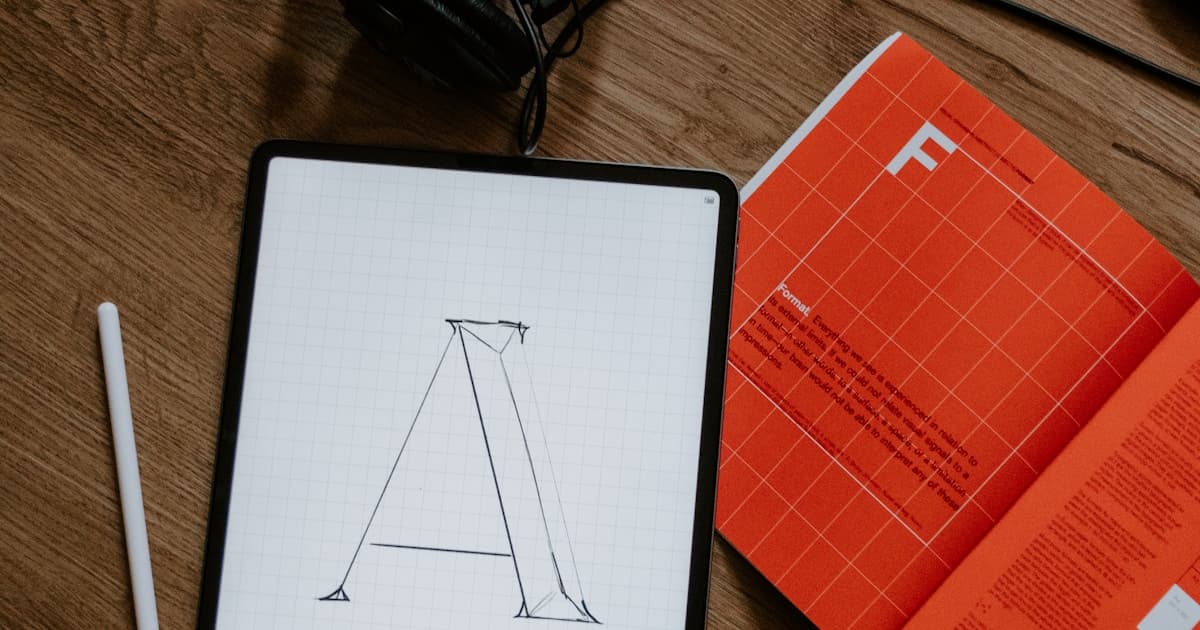
Sometimes a photo isn't right for your cover image. You need an illustration, an icon set, or custom graphics. The good news: thousands of high-quality options are free. The challenge: finding them. Here's where to look.
Icons: The Building Blocks
Icons work for covers when you need something clean, minimal, or conceptual. They're also essential for UI elements, infographics, and social media graphics.
Heroicons
Best for: Clean, minimal interface icons
Heroicons is made by the Tailwind CSS team. Two styles (outline and solid), 292 icons, MIT licensed.
- ✅ Free and open source
- ✅ SVG and React components
- ✅ Consistent 24px design
- ✅ MIT license (do anything)
- ❌ Limited set (interface-focused)
Perfect for: Tech blogs, SaaS content, developer audiences.
Lucide
Best for: Heroicons alternative with more variety
Lucide is a fork of Feather Icons with 1000+ icons and active development.
- ✅ 1000+ icons
- ✅ Multiple frameworks (React, Vue, Svelte, etc.)
- ✅ Consistent stroke width
- ✅ ISC license (very permissive)
- ❌ Outline style only
Perfect for: When Heroicons doesn't have what you need.
Phosphor Icons
Best for: Flexibility and variety
Phosphor offers 1,248 icons in 6 weights (thin to bold, plus duotone).
- ✅ Six weight options
- ✅ Unique duotone style
- ✅ 1,248 base icons
- ✅ MIT license
- ❌ Can be overwhelming to choose
Perfect for: When you need a specific weight or the duotone style.
Tabler Icons
Best for: Large, consistent icon set
Tabler Icons provides 4,000+ free icons with a clean, consistent style.
- ✅ 4,000+ icons
- ✅ SVG and web font
- ✅ Consistent 24px grid
- ✅ MIT license
- ❌ Some icons feel redundant
Perfect for: Large projects needing comprehensive coverage.
Noun Project
Best for: Conceptual and unique icons
Noun Project has millions of icons from various creators. Free with attribution, or cheap to license.
- ✅ Massive variety
- ✅ Conceptual icons for any topic
- ✅ Multiple styles
- ⚠️ Free requires attribution
- ⚠️ Inconsistent styles between icons
Perfect for: Finding that specific concept no other set has.
Icon Comparison
| Source | Icons | Style | License | Best For |
|---|---|---|---|---|
| Heroicons | 292 | Minimal | MIT | Interface |
| Lucide | 1,000+ | Outline | ISC | General |
| Phosphor | 1,248 | 6 weights | MIT | Flexibility |
| Tabler | 4,000+ | Consistent | MIT | Coverage |
| Noun Project | Millions | Varied | CC/Paid | Concepts |
Illustrations: Adding Personality
Illustrations add warmth and personality that icons can't match. They're ideal for hero sections, feature explanations, and standing out from photo-heavy competitors.
unDraw
Best for: Customizable tech illustrations
unDraw offers hundreds of SVG illustrations with customizable colors.
- ✅ Change colors to match brand
- ✅ Consistent modern style
- ✅ Regular new additions
- ✅ Completely free, no attribution
- ❌ Very common (you'll recognize them)
Perfect for: Tech startups, SaaS, landing pages.
Humaaans
Best for: Mix-and-match people illustrations
Humaaans lets you customize people by mixing bodies, poses, and accessories.
- ✅ Modular design system
- ✅ Create unique combinations
- ✅ Diverse representation
- ✅ Free for personal/commercial
- ❌ Requires assembly (Figma/Sketch)
Perfect for: Team pages, user personas, diverse representation.
Open Peeps
Best for: Hand-drawn character illustrations
Open Peeps is a hand-drawn illustration library with mix-and-match elements.
- ✅ Hand-drawn style
- ✅ Modular system
- ✅ Diverse options
- ✅ CC0 license
- ❌ Specific aesthetic (not for everyone)
Perfect for: Friendly, approachable, casual brands.
Blush
Best for: Variety of illustration styles
Blush offers illustrations from multiple artists with in-browser customization.
- ✅ Multiple distinct styles
- ✅ Customize in browser
- ✅ High quality
- ⚠️ Free tier limited
- ⚠️ Pro required for full access
Perfect for: When you want a specific artistic style.
DrawKit
Best for: Professional illustration packs
DrawKit provides free and premium illustration packs with consistent styles.
- ✅ Professional quality
- ✅ Themed packs (health, tech, etc.)
- ✅ Some free options
- ⚠️ Best content is paid
- ⚠️ Limited free variety
Perfect for: When free options feel too common.
Storyset
Best for: Animated illustrations
Storyset by Freepik offers customizable illustrations that can be animated.
- ✅ Animation capabilities
- ✅ Multiple styles
- ✅ Color customization
- ✅ Free with attribution
- ⚠️ Attribution required
Perfect for: Interactive content, presentations, social media.
Illustration Comparison
| Source | Style | Customizable | License | Best For |
|---|---|---|---|---|
| unDraw | Modern/tech | Colors | Free | SaaS/tech |
| Humaaans | People | Modular | Free | Team/personas |
| Open Peeps | Hand-drawn | Modular | CC0 | Casual brands |
| Blush | Various | Colors/elements | Freemium | Variety |
| DrawKit | Professional | Limited | Freemium | Quality |
| Storyset | Animated | Colors | CC BY | Animation |
Backgrounds and Patterns
For cover images, sometimes you need a background rather than a focal illustration.
SVG Backgrounds
SVGBackgrounds.com offers customizable SVG patterns—infinitely scalable.
- ✅ SVG (scales perfectly)
- ✅ Customize colors
- ✅ Geometric and organic patterns
- ✅ Free for commercial use
Hero Patterns
HeroPatterns by Steve Schoger provides subtle repeating SVG patterns.
- ✅ Subtle, professional
- ✅ Customize foreground/background colors
- ✅ CC BY 4.0
- ✅ Works great as cover backgrounds
Haikei
Haikei generates unique SVG backgrounds: waves, blobs, gradients, and more.
- ✅ Multiple generator types
- ✅ Fully customizable
- ✅ Export as SVG or PNG
- ✅ Free tier available
Cool Backgrounds
CoolBackgrounds.io creates abstract backgrounds with various styles.
- ✅ Multiple generators
- ✅ Triangles, particles, gradients
- ✅ Download as PNG
- ✅ Free for any use
3D Illustrations
3D illustrations are trending for modern, premium feels.
3D Icons
3dicons.co offers 1,000+ 3D icons with various colors and angles.
- ✅ Modern 3D style
- ✅ Multiple colors/angles
- ✅ CC0 license
- ✅ PNG and Figma formats
Shapefest
Shapefest provides free 3D shapes and abstract elements.
- ✅ 160,000+ variations
- ✅ Transparent backgrounds
- ✅ Free tier available
- ⚠️ Full library is paid
How to Use Icons and Illustrations as Cover Images
Option 1: Icon on Background
- Choose a solid or gradient background
- Center a relevant icon
- Ensure enough contrast
- Export at 1200x630px
Works well for how-to posts, technical content, or minimal aesthetics.
Option 2: Illustration as Hero
- Find an illustration that matches your topic
- Customize colors to match brand
- Add padding if needed
- Export at proper dimensions
Works well for conceptual posts, feature announcements, or friendly content.
Option 3: Pattern Background + Text
- Generate a subtle pattern background
- Add your title as text overlay
- Ensure readability
- Keep it simple
Works well when you want consistent branding across all posts.
Tools for Assembly
| Tool | Best For | Cost |
|---|---|---|
| Figma | Full control | Free |
| Canva | Quick and easy | Freemium |
| Photopea | Photoshop alternative | Free |
Licensing Quick Reference
| Source | Commercial | Attribution | Modify |
|---|---|---|---|
| Heroicons | ✅ | ❌ | ✅ |
| Lucide | ✅ | ❌ | ✅ |
| Phosphor | ✅ | ❌ | ✅ |
| Tabler | ✅ | ❌ | ✅ |
| unDraw | ✅ | ❌ | ✅ |
| Open Peeps | ✅ | ❌ | ✅ |
| Noun Project (free) | ✅ | ✅ Required | ✅ |
| Storyset | ✅ | ✅ Required | ✅ |
FAQ
Q: Can I use these for client work?
Check each license, but most listed here allow commercial use including client work. Noun Project (free tier) and Storyset require attribution.
Q: How do I customize colors in SVG icons?
Open the SVG in a text editor—look for fill or stroke attributes and change the hex color. Or use Figma/Illustrator for visual editing.
Q: These all look the same. How do I stand out?
Combine elements: icon + gradient background + subtle pattern. Or use less common sources like Blush or DrawKit. Customizing colors to your brand also helps.
Q: What resolution should I export?
For blog covers: 1200x630px minimum. For social: check each platform's requirements. Always export at 2x if you have retina displays to consider.
Q: Icons or illustrations—which should I use?
Icons for technical, minimal, or professional content. Illustrations for friendly, conceptual, or narrative content. When in doubt, test both with your audience.
When You Need Photos Instead
Icons and illustrations are great, but sometimes you need a photograph. CoverImage.app helps you find the right photo using AI—describe your content and get relevant matches instantly.
Ready to find your perfect cover image?
Try CoverImage.app - paste your content, get AI-matched images instantly.
Try it Free